Translated from the Chinese original.
A few days ago I followed Several Ways for Chinese People to Apply for a US EIN – VPS Dawanjia and applied for an EIN by phone. This is my record of it.
Although I have an ITIN, applying for an EIN actually requires neither an ITIN nor starting a company.
Online Application with an ITIN: Possible in Principle, Not in Practice
Following my usual principle of not making a phone call if I can solve something online, I first tried to apply for the EIN by filling in the online form.
I opened Apply for an Employer Identification Number (EIN) Online | Internal Revenue Service and followed the process.
I didn’t run into the error message after entering the ITIN that Dawanjia mentions. After I entered my ITIN, I moved on normally to the “Address” step, but this is where it got really annoying. Here it asks:
Where is the Sole Proprietor physically located?
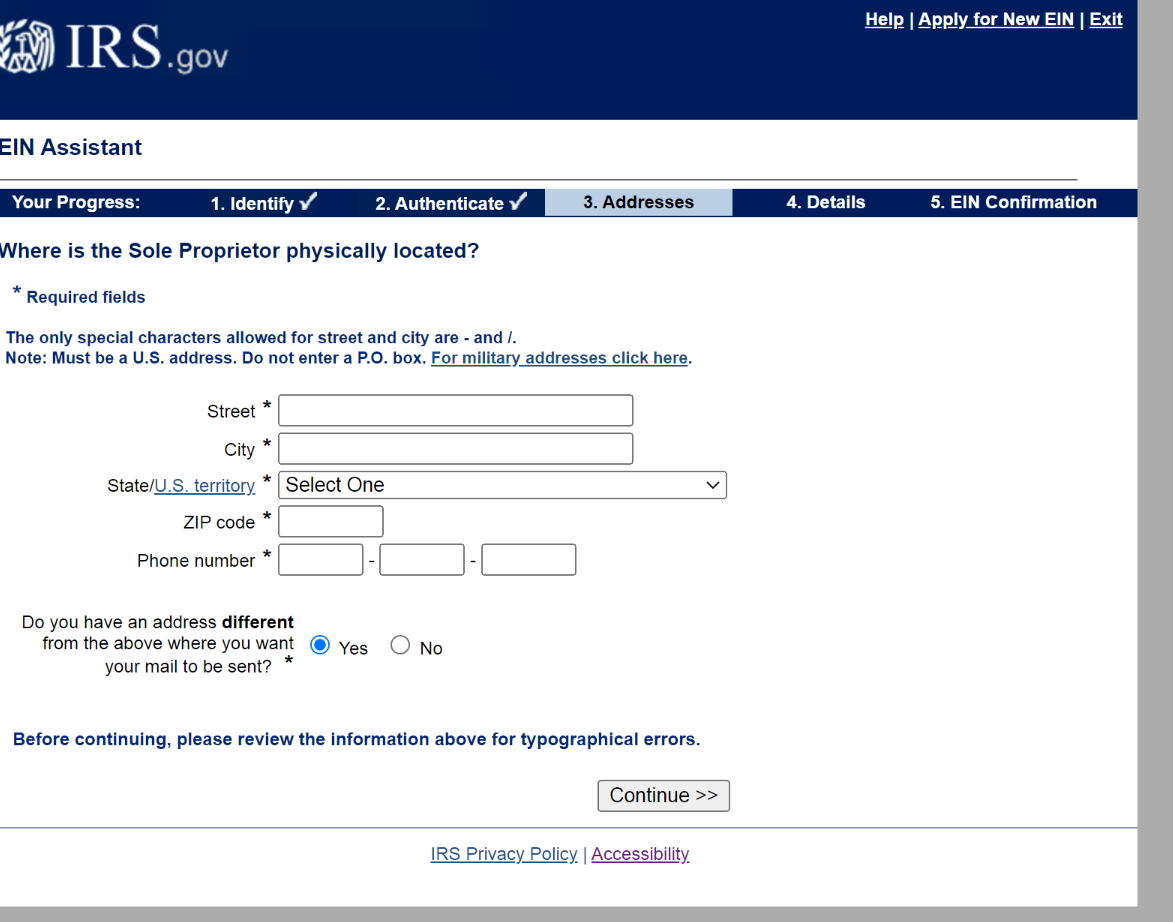
I hold an ITIN, but I’m physically in China, and this step only accepts a US address.
I could probably have moved on to the next step by entering a rented US mailing address, but to avoid trouble down the road, I gave up on the online route.
Applying for an EIN by Phone
The call took 30 minutes in total. I’d still recommend Chrome + Google Voice, for two reasons:
- With GV it costs nothing.
- Chrome supports Live Caption + Live Translate. The real-time speech-to-text is fairly accurate and can effectively lower the barrier to communication (see the end of the post for how to set it up).
The person who answered was a lady who was very patient. When it came to giving my address, she couldn’t make out my translation of the Chinese address, so she offered on her own to bring an interpreter into the call.
If you’re not confident, you can just tell her right at the start: “I want a Chinese translator.”
Main Questions
- what is your position with the business? : the owner and the responsible party of the business.
- name (you need to spell it out)
- phone
- Is this application for a limited liability company or its foreign equivalent nowadays? :No
- If have SSN or ITIN?
- Address & Birth Date
- And do you need a trade name or doing business of things?
- Mailing Address
- start date of business
- are you expecting to have any U. S. Employees in the next twelve months?
- the principal activity of the business.?
- will this involve any U. S. Gambling or wagering, any form twenty two ninety heavy highway use tax or form seven twenty export like character?
- Do you want to use the same phone number from earlier as your business phone number,your U. S. Business phone numbers?
Spelling Tips (to Avoid Confusion, e.g. Between “g” and “j”)
When spelling out letters, it’s best to use the pattern below so the other person understands you.
When you need to make sure the other person correctly understands the letter “W”, you can say it like this:
“W” as in whiskey,
“A” as in alpha,
“N” as in November,
“G” as in golf.
This way the other person will find it much easier to understand that the letter you mean is “W”.
Here are the English names of a few symbols:
- Hyphen “-” dash
- Comma “,” comma
- Space " " space
Turning On Live Speech-to-Text & Translation in Chrome
If you only need real-time speech-to-text and don’t need translation, any Chrome can do it.
Use Live Caption in Chrome - Google Chrome Help
If you need live translation, it’s currently only available in the Chrome Canary channel.
- Download Chrome Canary Features For Developers - Google Chrome
- Shortcut → right-click → Properties → add the flags
"%USERPROFILE%\AppData\Local\Google\Chrome SxS\Application\chrome.exe" --enable-features=LiveCaptionMultiLanguage,LiveTranslate
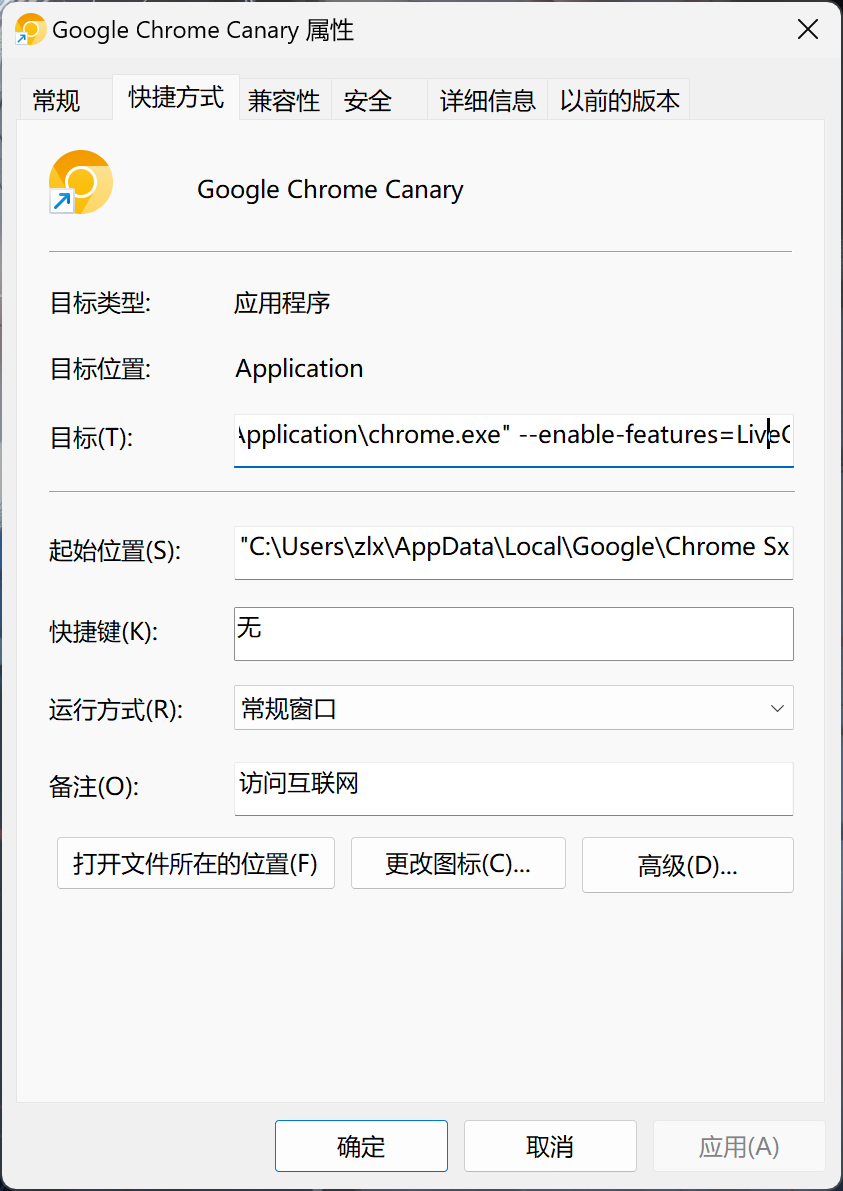
Then you’re ready to use it.
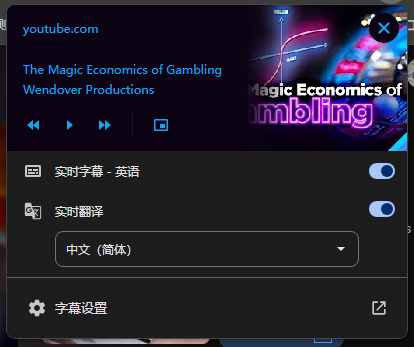
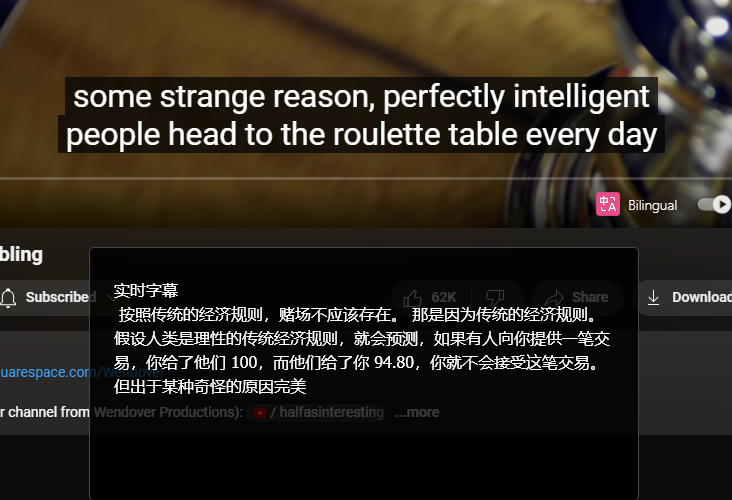
That’s all. I hope it helps.