Translated from the Chinese original.
A long time ago, the H265-related problem I ran into on Win10 was thumbnails not showing. The fix is fairly well established online: just install Download K-Lite Codec Pack.
Recently, for work, I used “Yao Ni Ming San Qian” to download a lot of watermark-free videos from Douyin/Kuaishou. Some of them are H264-encoded and the rest are H265-encoded, and previewing them in the Win10 File Explorer is no problem.
But of all the bad luck, I needed to drag them all into Eagle for management, and Eagle can currently only collect H265 files, but cannot preview or play them ==…
So I needed to convert the H265 videos to H264. The conversion itself isn’t complicated; HandBrake: Open Source Video Transcoder does the job.
The problem is: how do you find the H265 videos in a folder that mixes H264 and H265 files? Otherwise, once the number of videos grows, converting the H264 ones is just wasted time.
Finding which videos in a directory of various videos are H.265? - Page 2 - Windows 10 Forums
I did find a similar question in an English-language search, but unfortunately it had no answer at the time.
After several attempts, I did find a solution in the end:
- Install Icaros 3.3.0 Beta 3
- In File Explorer, check the “Video tracks” column
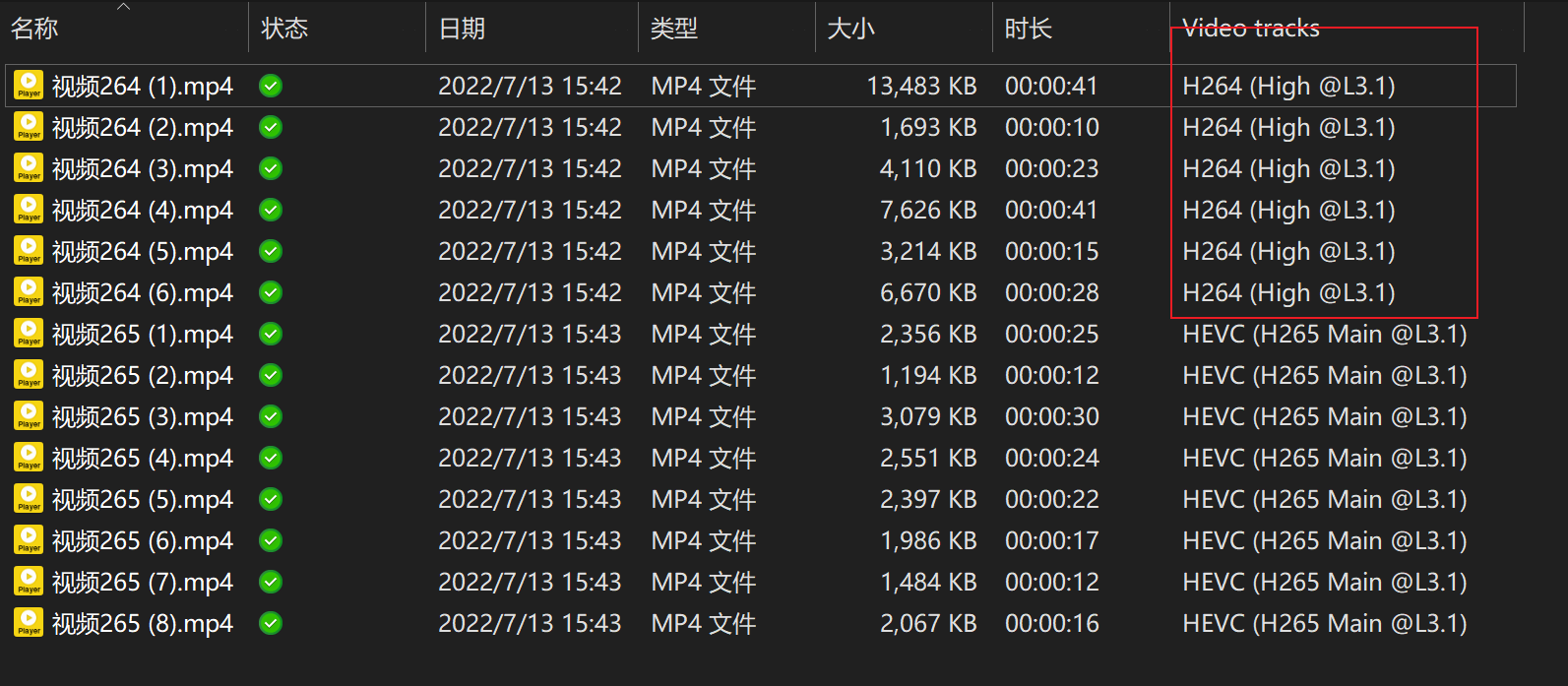
Snipaste_2022-07-14_00-08-21
That’s it.
References
Which File Formats Does Eagle Support? - Knowledge Base | Eagle