Translated from the Chinese original.
The Approach
Compared with textbooks, which are mostly PDFs from relatively fixed sources, general books are far more varied in both format and source.
But no single site carries every kind of book, so looking for a general book really means switching between multiple sites and searching until you find the target book as quickly as possible. The factors that affect the speed of finding a book come down to two:
- Does the site you choose carry a complete range of books?
- Can you switch between sites quickly, or even search the same keyword on several sites at once?
I’ll give the solutions I commonly use along these two lines.
One thing to say up front, though. Unless you have special needs or the store simply doesn’t carry the book, I’d recommend buying directly from an e-book store. As for why,
Sometimes, free is the most expensive.
Those who get it will get it; for those who don’t, I won’t say more.
Methods
Douban Download Master
Demo
This is the method I use most often. It is efficient and fast. The downside is that it currently only works on a computer.
See the right half of the image below for a demo.
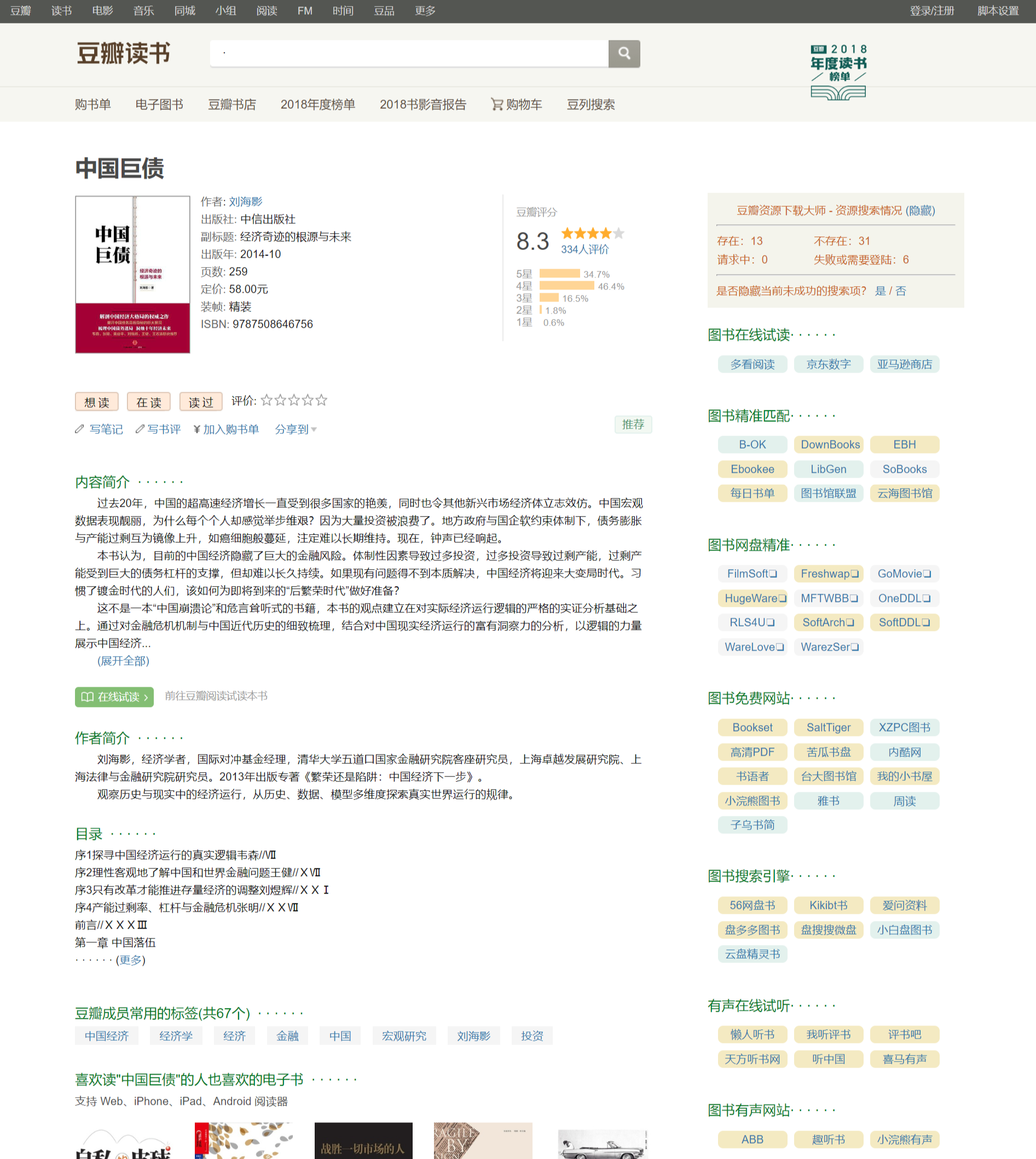
Open a book page on Douban, and Douban Download Master will query that book on multiple sites at the same time and return the results. You can choose to hide the failed results.
Click a result marked as successful to start the download.
At its core, Douban Download Master is a small search engine that lets you enter a query once and search many places simultaneously.
Official feature introduction:
*Shows Chinese and English subtitles
*Shows online videos, audio, and books
*Supports searching Douban lists
*Shows resources for movies | TV series | documentaries | variety shows | animation | music | books, etc. (including direct links | FTP | BT | magnet links | ED2K | NZB | Xunlei | Baidu Pan | 115 Pan, etc.)
*Aggregates 400+ major resource sites | subtitle sites | resource search engines
*Exclusive automatic resource color coding: green for sites with results, white for sites that are inaccessible | require login, and yellow for sites with no results
*Generates movie details with one click, making it easy to add a synopsis when sharing a movie on forums | websites
*Exclusive smart resource ID matching for more accurate search results: matches by IMDB ID if there is an IMDB link, otherwise by Douban ID
*Shows sites by category for more accurate results: e.g., TV sites appear only for TV entries, animation sites only for animation entries
*Shows sites by country for more accurate results: e.g., U.S. drama sites appear only for U.S. dramas, Japanese drama sites only for Japanese dramas
*Matches resource years for more accurate results: automatically adds the year to movie searches, but not to non-movie searches such as TV series or animation
*Caches search results, making searches faster the more you use it
*Lets you remove sites and customize the background and text colors used for resources
*Caches resource bookmarks, site login states, and IMDb Top 250 data, with user-initiated or automatic cleanup
*Provides Chinese-language explanations of MPAA movie ratings
*Provides Chinese-language explanations of TV ratings
*Exclusive feature: shows production budgets, domestic opening-week box office, North American opening-week box office, and total box office
*Shows IMDb ratings and number of raters, and highlights titles in the IMDb Top 250
*Shows Metascore and popularity, including weekly rank changes
*Shows Rotten Tomatoes score, Fresh percentage, and Rotten percentage
*Shows ratings from AniDB | Bangumi (Bgm) | MyAnimeList (MAL)
Installation
Choose Firefox or Chrome as your browser, then install the Violentmonkey or Tampermonkey extension. Then install the script from the script installation page. (If you have installation questions, send a screenshot to the official account.)
PS: If you can’t download Chrome or the related extensions, I have a Chrome installer and a Tampermonkey setup file available through the official account. You can follow the tutorial below to install a .crx file offline. Reply with the exact Chinese keyword “豆瓣下载” (“Douban Download”) to get them.
Installing the Tampermonkey userscript manager
Douban Resource Download Master: Get Douban movie | music | book downloads in 1 second
How to install Chrome crx extensions offline (compatible with all versions)
Chongbuluo Book Search
Chongbuluo also recently put together a book-search directory, drawing on the many book-hunting threads. The directory doesn’t list a huge number of sites, but they are all relatively efficient for book searching and have fairly complete collections. If you can’t use Douban Download Master, you might try Chongbuluo’s book-search directory.
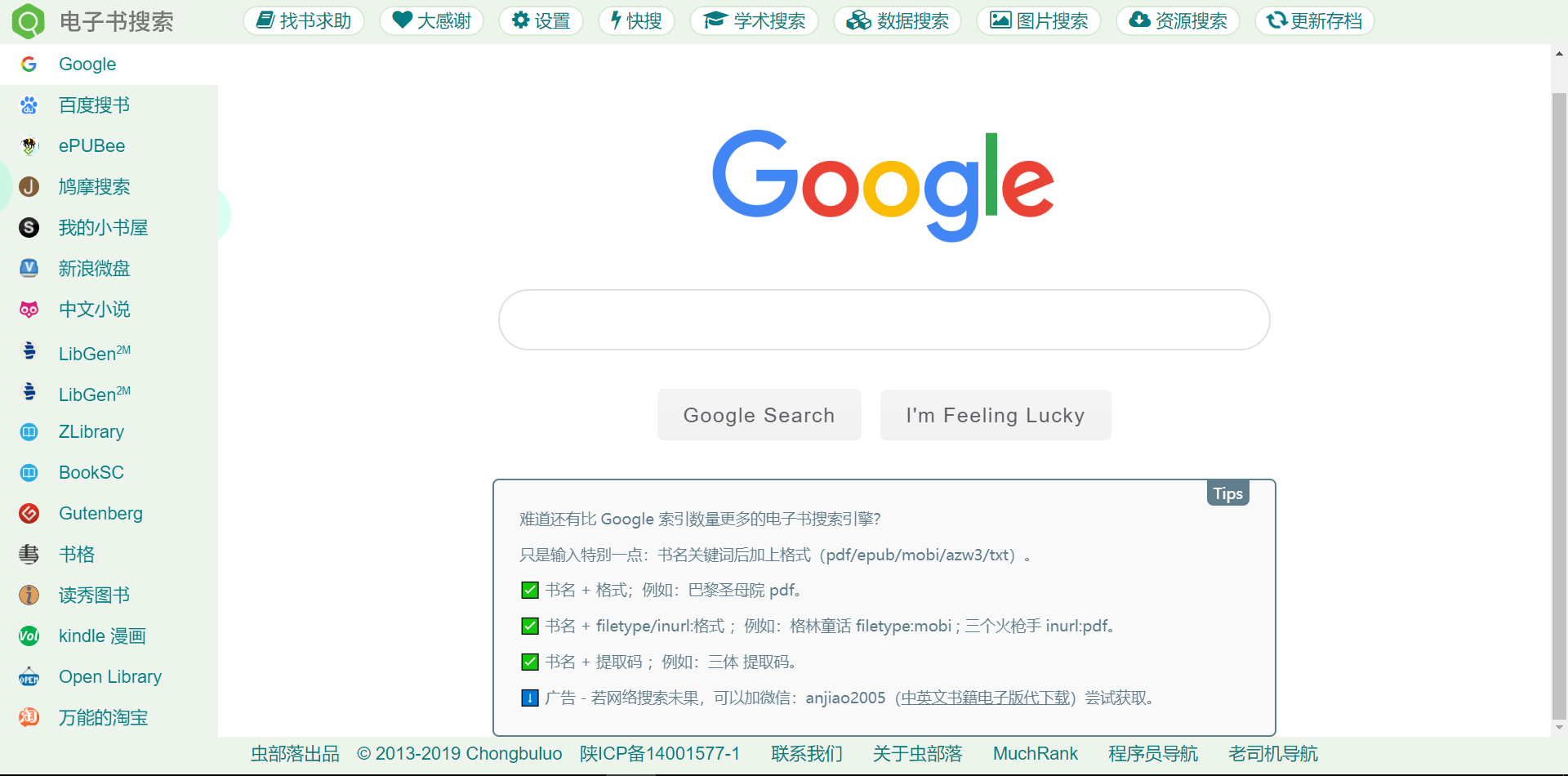
The URL is https://ebook.chongbuluo.com
Others
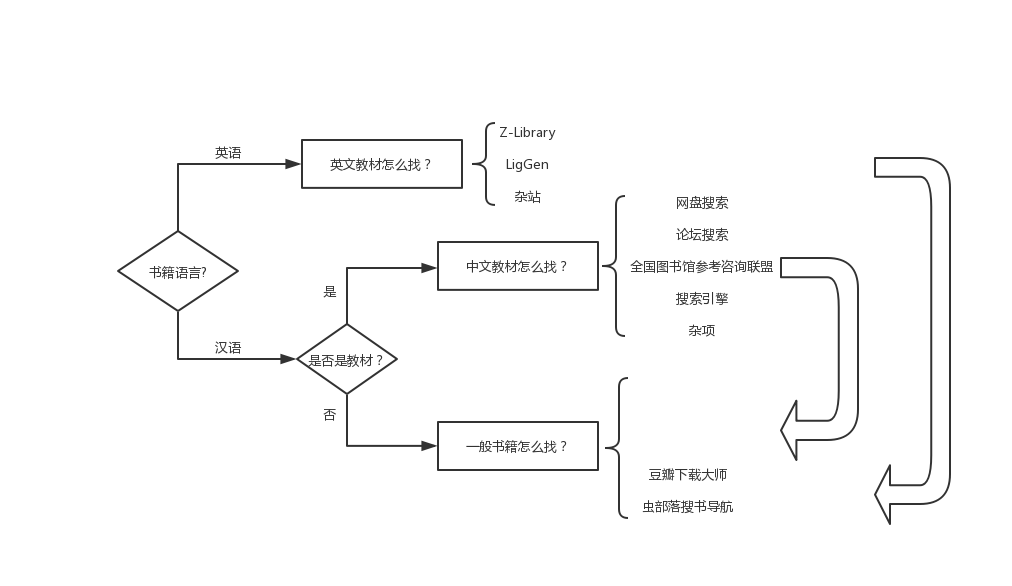
Of course, the method for finding Chinese textbook e-books and the method for finding English textbook e-books from the previous two installments also work for general books.
Here is a summary of the whole approach to finding books:
Next installment preview: “How do you process a PDF to make it easier to use?”