Translated from the Chinese original.
WeChat recently released its 2018 data report. The report states that as of September 2018, WeChat had 1.082 billion monthly active users.
Although the open rate of WeChat Official Accounts has been falling in recent years, it is undeniable that WeChat’s enormous user base means the vast majority of content producers cannot abandon this channel.
According to the “2017 WeChat Economy Data Report” and “2017 WeChat User Research and Business Opportunity Insights”, by the end of 2017 there were more than 10 million WeChat Official Accounts, of which 3.5 million were active accounts, up 14% from 2016, with 797 million monthly active followers.
Naturally, WeChat’s ecosystem has a great many high-quality content producers, who put out a lot of valuable content.
So when we read a brilliant article, how should we save it? With WeChat Favorites?
My advice: save it however you like, but don’t use “WeChat Favorites”.
1. Why I Don’t Recommend “WeChat Favorites”
1.1 It saves only the URL, not the content.
In the vast majority of cases this is fine, but sometimes, for one reason or another, an article gets blocked by WeChat, or deleted by its author. When that happens, although it’s still in your favorites list, you can no longer view its content, which defeats the whole purpose of saving it.


1.2 Poor cross-platform support
For articles we find on our phones and want to keep, we can tap “Send to WeChat Favorites.” Doing the same on a computer is much less convenient—you can’t keep copying and pasting back and forth.
So how can we truly save an article? I recommend using a third-party cloud-based note-taking app.
2. Using a Third-Party Cloud-Based Note-Taking App
2.1 How cloud note-taking apps preserve articles when the original is blocked or deleted
WeChat Favorites records only the URL and does not save the content. Third-party cloud note-taking apps, however, usually save both the content and the URL. Even if WeChat blocks the article, you can still view the copy saved in your note-taking app.
If an article were a house, WeChat Favorites would keep only the key (the URL). Once the house is demolished (deleted or blocked), the key is useless. A third-party cloud note-taking app’s clipping feature, on the other hand, builds an identical house elsewhere, so even if the original is gone, we can still see what it looked like.
2.2 Advantages of a Cloud-Based Note-Taking App
2.2.1 It saves a copy of the content
The principle above makes this clear: this is what it means to truly save an article. Its full content is stored in your cloud notebook so you can read it later.
2.2.2 Cross-platform support and web clipping
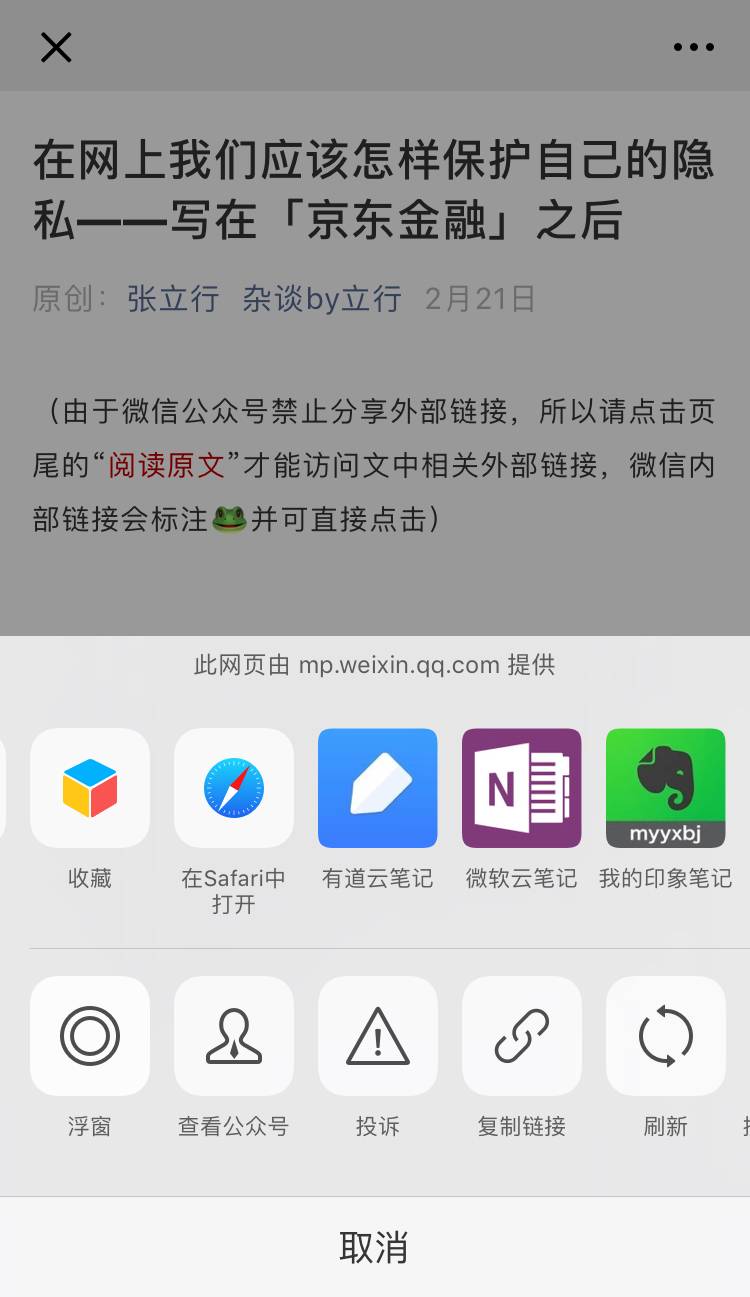
- WeChat: send to your note-taking app with one tap
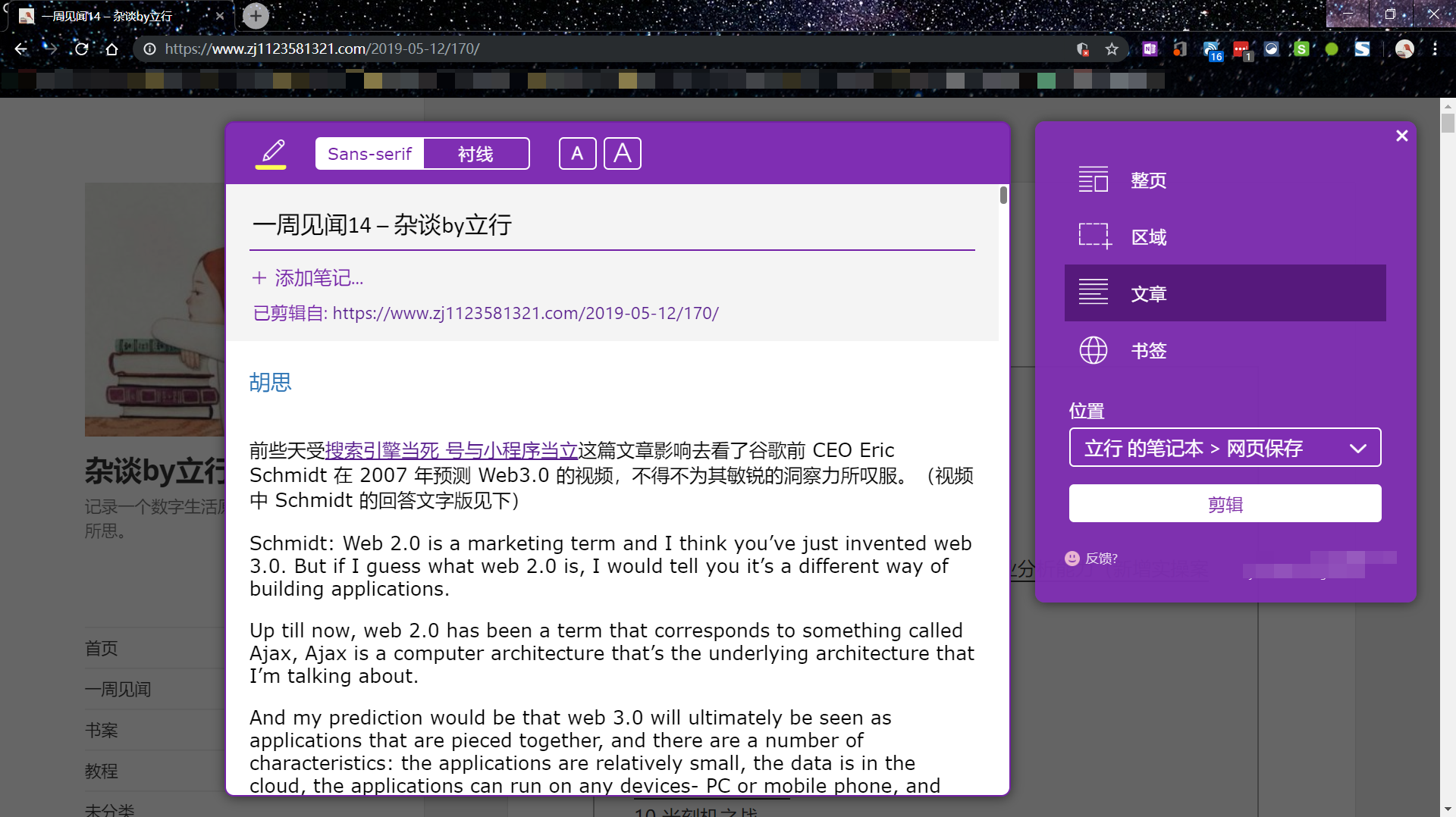
- Computer browser: clip a page with one click
- Other apps: share content to your note-taking app
2.2.3 Easy to search
Because the article’s content is saved in our own notebook, we can still find it quickly by searching for a few words we remember, even if we forget its title.
2.2.4 A mature ecosystem
Professional note-taking services usually partner with many content platforms and tailor their features to each one. They can also integrate with other tools. You can use automation services like IFTTT to do even more.

2.3 Choosing a Cloud-Based Note-Taking App
The two leading international note-taking apps are Evernote and OneNote.
2.3.1 Evernote (Yinxiang Biji)
Evernote is an app focused on note-taking. Yinxiang Biji is its version for mainland China. The two have separate accounts (they don’t share a database), and Yinxiang Biji has a few more localized features than Evernote, such as saving WeChat and Weibo content.
Pros
- Available on many platforms (Windows, Mac, Android, iOS, Chrome, Firefox, etc.)
- Strong third-party service support, and it can connect with many platforms (the best of the three)
- Supports saving WeChat and Weibo content (Yinxiang Biji)
- One-click web clipping that preserves formatting (Yinxiang Biji’s clipper is much better than OneNote’s, and far ahead of Youdao Cloud Note’s)
Limitations
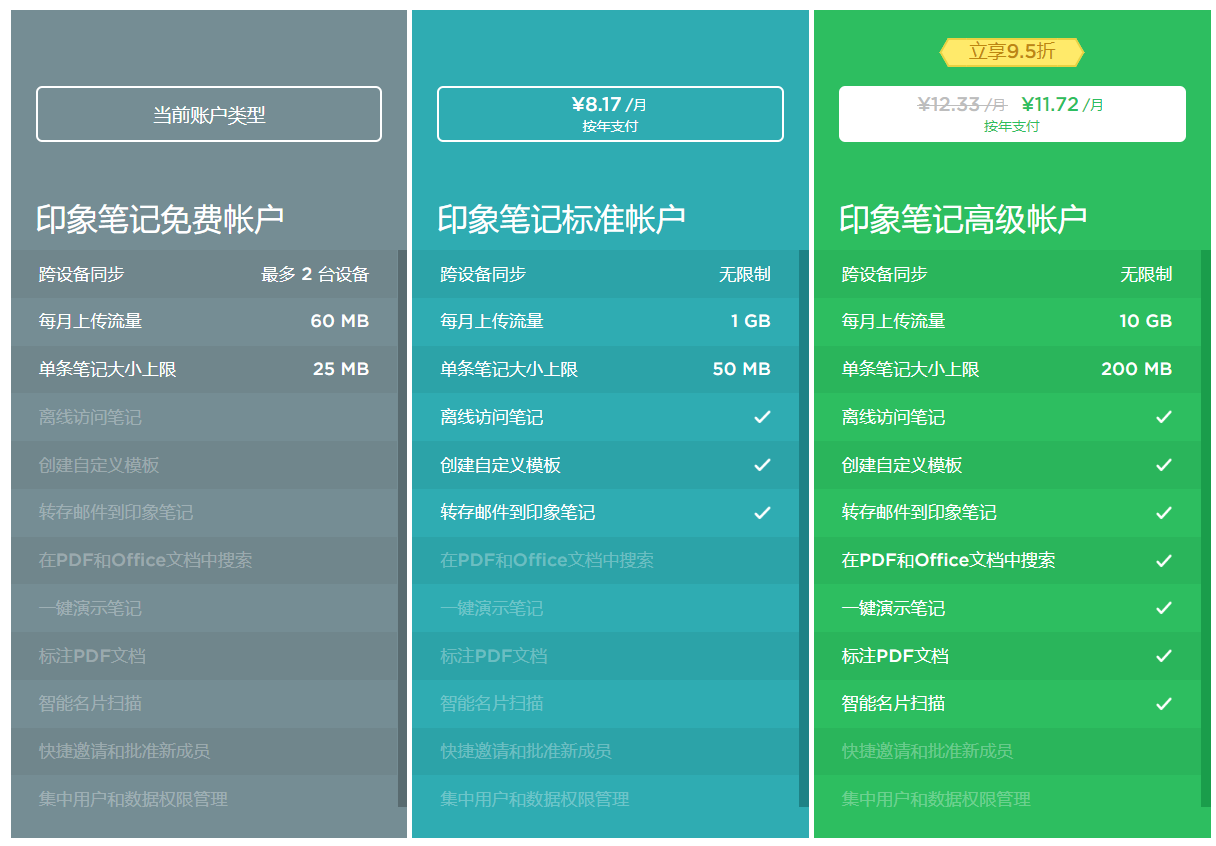
- Free accounts don’t support viewing and editing notes offline. Sometimes notes can be accessed from the cache, but this may cause conflicts when syncing.
- Free accounts can sync only 2 devices.
2.3.2 OneNote (Microsoft’s cloud note-taking app)
OneNote may be the least well-known app in the Office suite. It is made by Microsoft.
Pros
- Available on many platforms (Windows, Mac, Android, iOS, Chrome, Firefox, etc.)
- Backed by Office, with excellent editing capabilities and easy integration with the Office suite
- Fairly good third-party service support, though not as good as Yinxiang Biji
- Supports saving WeChat and Weibo content
- One-click web clipping, but some formatting is lost (it just looks a bit ugly)
Limitations
- Free users get only 5 GB of cloud space; you need an Office 365 subscription to expand it
- OneNote 2016 on Windows always has some baffling sync bugs; other platforms are fine
- The web version is currently inaccessible in mainland China
2.3.3 More Comparisons Between Evernote and OneNote
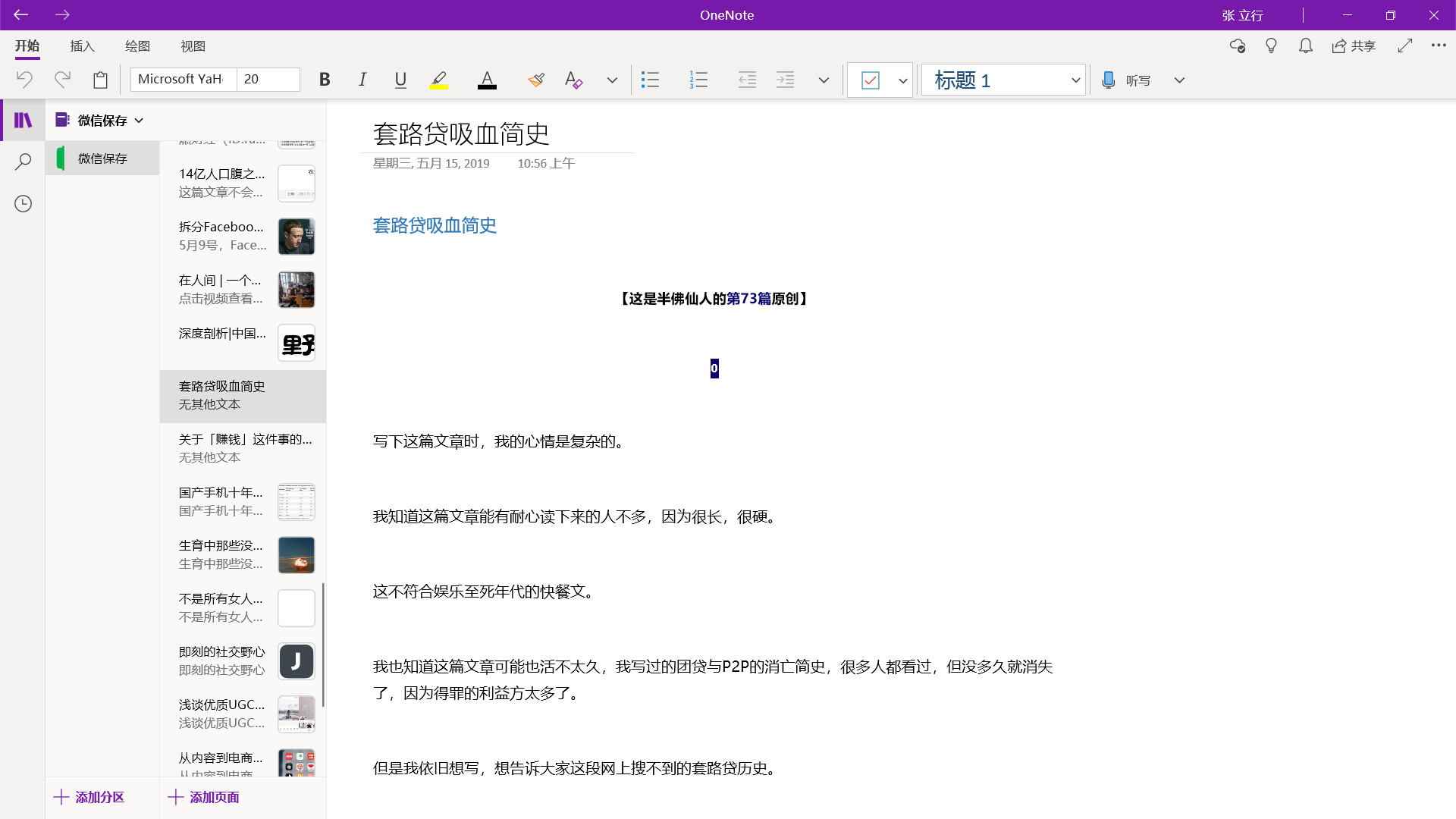
Evernote and OneNote each have their strengths and weaknesses. Although I’m a heavy OneNote user, I’m also very envious of Yinxiang Biji’s powerful clipping ability and third-party service support. But since I use a Surface for handwritten notes and have an Office 365 subscription, I’ve stayed on the OneNote platform.
Please choose your note-taking tool carefully, or migrating your notes later will be very troublesome. For more comparisons between the two, see the articles below.
OneNote vs. Evernote: Which should you choose?
Tool for migrating Evernote to OneNote
Tutorial: migrating OneNote to Evernote
2.4 How to Clip Articles from WeChat
3. How to Read Blocked Articles
The principle is simple: valuable information is bound to be saved by someone who appreciates it.
Copy the article’s title and search for it (WeChat’s own search is enough). You may need Google to find some articles.
Here’s an example.
Banfo Xianren (Official Account ID: banfoSB) once published an article on his Official Account with over 100,000 views, “The Death of Tuandai Wang: A Brief History of the Wipeout of Loan Sharks”. The article was brilliantly written, but for various reasons it was deleted.
Use WeChat search and enter “The Death of Tuandai Wang” (团贷网之死).

Then save it to your own note-taking app with one tap, and you’ll have preserved the article for good.